


Is a Satellite Messenger Worth It for Hiking?
Last Updated: October 26, 2026
Quick Summary
A satellite messenger is probably not worth it for day hikers on well-trafficked trails, according to Switchback Travel's 2026 buying guide. It is worth it for remote areas, multi-day trips, solo backcountry travel, and routes hours from a trailhead with no cellular coverage.
- A satellite messenger sends two-way messages and emergency SOS alerts over a satellite network when cellular coverage disappears.
- A personal locator beacon sends a one-way distress signal only, while a messenger allows two-way messaging and check-ins.
- Apple's satellite messaging worked reliably and consistently across hundreds of miles of backcountry trail in field testing.
- Send messages from open ground, stand still, and allow a few minutes before assuming a message failed.
- Compare first-year and three-year totals, including device price, activation fees, and plan costs, before you commit.
Table of Contents
- Is a Satellite Messenger Worth It for Hiking?
- Satellite Messenger vs Personal Locator Beacon
- Satellite Messenger vs Smartphone Emergency SOS
- Coverage, Message Delivery, and Real-World Limitations
- Satellite Messenger Battery Life and Power Planning
- Subscription Plans and Total Cost of Ownership
- How to Use a Satellite Messenger in an Emergency
- Build Your Emergency Kit Around Your Messenger
- Frequently Asked Questions
Is a Satellite Messenger Worth It for Hiking?
According to Switchback Travel's 2026 buying guide, the short answer for day hikers wondering whether to invest in a satellite messenger is probably not. For everyone else, the math gets more interesting. A satellite messenger is a handheld device that sends two-way messages and emergency SOS alerts over a satellite network when cellular coverage disappears. At Danielson Cove, we think about this the way we think about any safety gear: the question is not whether it is nice to have, but whether the trip you are planning can go wrong in a place where your phone cannot help.
Below is a breakdown of when a messenger may earn its place in your pack, when it may not, and what it costs to own one.
When the Answer Is Yes
A satellite messenger is worth it when a failed hike could become an emergency rather than an inconvenience: remote areas, multi-day trips, solo backcountry travel, and any route hours from a trailhead with no cellular coverage.
Three trip types justify the purchase:
- Solo hikes in remote mountains. A rolled ankle two ridges from the car is a serious problem when nobody knows where you are.
- Multi-day backcountry trips. Weather exposure and gear failure compound over days, not hours.
- Trips with dependents. Hiking with a dog or a child raises the stakes on every decision.
If you check any of those boxes, the peace of mind is usually worth the monthly fee. The Trek reports many hikers consider it worthwhile, even though the devices are expensive and add pack weight.
When You Can Skip It
Day hikes on well-trafficked trails rarely justify a dedicated device. Switchback Travel is blunt: for day hikers, a satellite messenger is probably not necessary.
You can also skip it if you stay inside reliable cellular coverage, hike in groups with a planned check-in schedule, or already carry a personal locator beacon for pure emergency use. If your phone supports satellite messaging, test it before buying a second device, many hikers find the built-in option covers basic SOS needs on short trips.
The honest trade-off: a messenger adds expense and weight. Only you know whether your typical hike is remote enough to justify it.
Satellite Messenger vs Personal Locator Beacon
The core difference is conversation versus alarm. A personal locator beacon sends a one-way distress signal to rescue coordination services (406MHz Emergency Distress Beacons). A satellite messenger lets you send two-way messaging, check-in messages, and location sharing, so you can tell people you are delayed rather than triggering a full rescue.
| Feature | Satellite Messenger | Personal Locator Beacon |
|---|---|---|
| Communication | Two-way messaging | One-way distress signal only |
| Everyday use | Check-ins, location sharing | Emergency only |
| Subscription | Required monthly fee | None |
| Battery life | Days, with charging | Years on standby |
| Best for | Multi-day and solo trips | Pure emergency backup |
Best for: hikers who want to reassure family between trailheads. Skip if: you only want a last-resort alarm and nothing else.
Satellite Messenger vs Smartphone Emergency SOS
Smartphone satellite features have changed the calculation. Hiking Guy's field comparison reports that Apple's satellite messaging worked reliably and consistently across hundreds of miles of backcountry trail. That is a genuine option now, not a gimmick.
The practical differences still matter. A dedicated device typically offers longer battery life, a more rugged build, water resistance, and preset messages you can fire off in seconds. A phone gives you a familiar screen but drains fast in cold, and its satellite feature depends on pointing the device at open sky.
For a weekend trip, your phone may be enough. For a multi-day trip where the phone is also your camera and map, consider carrying a dedicated device and keeping the phone charged as backup.
Coverage, Message Delivery, and Real-World Limitations
No satellite network delivers messages instantly from a canyon floor, and no marketing claim changes the physics. Understanding why delivery is variable lets you plan around it, the part most buying guides skip.
How a Message Actually Travels
When you send a message, the device transmits to a satellite overhead, which relays to a ground station, which routes it to the recipient's phone or email. Each hop adds latency. The weak link is almost always the first: the device-to-satellite connection, which needs a reasonably clear view of the sky and a satellite in range at the moment you transmit.
The Five Factors That Slow or Block Delivery
- Sky view and terrain obstruction. Satellite communication is essentially line-of-sight. Deep tree cover, steep canyon walls, and the north face of a ridge all degrade the link. A device that worked on an exposed summit may fail in a dense valley a mile below.
- Satellite geometry and pass timing. Low-earth-orbit constellations move constantly, so coverage is not uniform minute to minute. A message sent with no satellite overhead may queue until one comes into range, why delivery can take minutes rather than seconds.
- Weather. Heavy precipitation, dense cloud, and blowing snow attenuate the signal. Storms make hiking dangerous and your emergency channel less reliable at the exact moment you may need it.
- Device placement and orientation. Antennas are directional. Holding the device flat with a clear view of the sky, away from your body and metal gear, materially improves the odds. Stuffing it inside a pack or under a jacket defeats it.
- Check-in interval and message queuing. Tracking and check-in features transmit on a schedule. A longer interval saves battery but lengthens the gap between position updates; frequent updates cost you power.
What This Means on the Trail
- Send from open ground. Step out of tree cover, gain a little elevation, and face the widest patch of sky you can find.
- Stand still and wait. Give the device a few minutes with a clear view before assuming the message failed. Avoid walking while transmitting.
- Expect variability, not guarantees. A message that took thirty seconds on a ridge may take several minutes in a valley. Build that buffer into your check-in schedule so a late message does not trigger panic at home.
- Tell your contacts the plan. Let them know your check-in windows and that a delayed message is normal, not necessarily an emergency.
Test the Link Before You Rely on It
The only way to know how your device performs in your terrain is to test it there. Send a test message from a representative spot, a valley, a tree line, a ridge, and note delivery time. That real-world data beats any spec sheet and tells you where to plan a sky-view stop.
Satellite Messenger Battery Life and Power Planning
Most messengers run for days on a charge under normal use, but cold weather and frequent tracking intervals cut that sharply. Plan backup power before you leave.
The outdoor emergency charging power bank is listed with USB-C and micro-USB ports. If you are building out off-grid power for a longer expedition, a portable power stations buying guide walks through the options.
14 in 1 Outdoor Emergency Survival And Safety Gear Kit →

Charge everything fully the night before, keep the power bank warm inside your pack, and set a conservative tracking interval to stretch battery life.
Subscription Plans and Total Cost of Ownership
The device is only part of the cost. Subscription plans may also factor into the total.
The Five Cost Layers
A total cost of ownership can include several layers:
- Device purchase price. The one-time hardware cost.
- Activation fee. Check whether the provider charges a one-time setup fee when you first turn on service.
- Monthly or annual plan. Check the recurring cost and the features included.
- Suspension or seasonal-hold fees. If you only hike in summer, check whether the provider allows you to pause service and what terms apply.
- Add-ons and replacement. Check whether add-ons or replacement costs apply over the period you expect to use the device.
A Simple Multi-Year Budget Check
Compare first-year and three-year totals:
- First-year cost = device price + any applicable activation fee + plan costs for the year.
- Three-year cost = first-year cost + plan costs for the remaining two years + any applicable fees.
Run both before you commit. Compare the total costs and features of the plans available for your expected use.
Match the Plan to Your Trip Profile
- Day hikers and weekenders: consider which plan features match your needs.
- Multi-day and solo backcountry travelers: consider whether two-way messaging and location sharing fit your needs.
- Thru-hikers and expedition users: consider the messaging and tracking features you expect to use.
Whichever plan you choose, review its terms before your trip and confirm its status with the provider.
How to Use a Satellite Messenger in an Emergency
In an emergency, follow the device manufacturer's instructions and communicate with responders if possible.
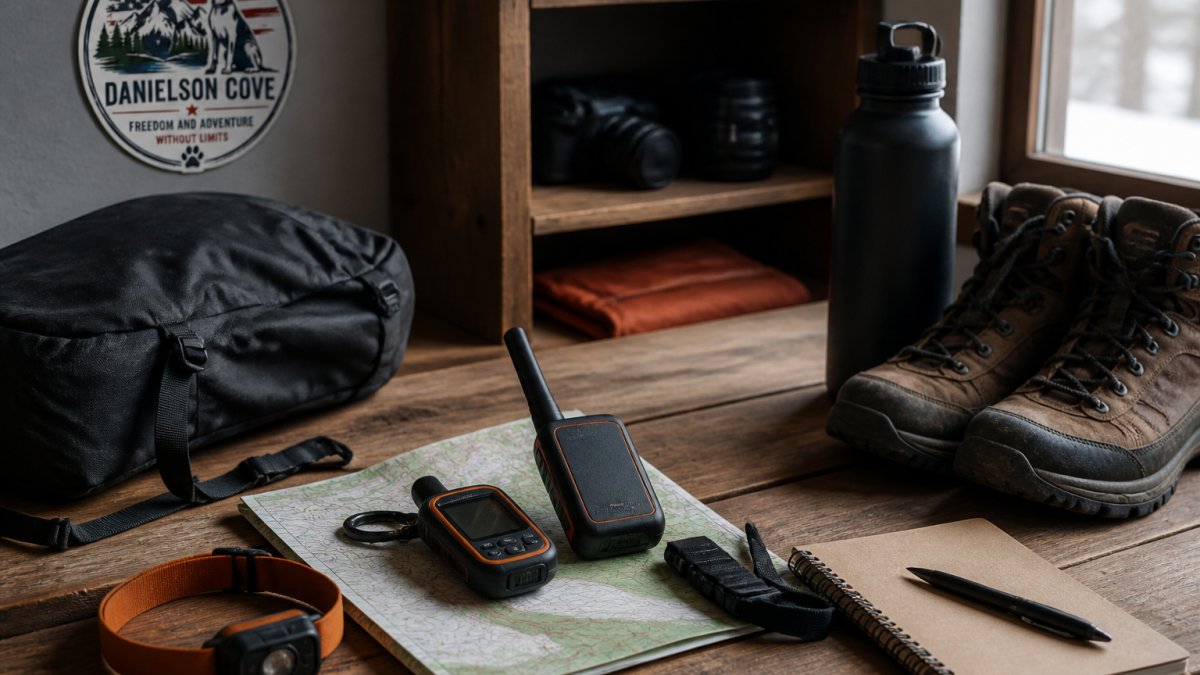
Follow the device manufacturer's instructions for sending messages or triggering an SOS alert. A remote wilderness packing guide covers how to prepare for trips where this planning matters most.
Before You Leave: Setup and Test Messages
Follow the manufacturer's setup instructions and confirm your emergency contacts and check-in settings before your trip.
What Emergency Responders Expect From You
Follow the device instructions and any guidance you receive from responders.
Build Your Emergency Kit Around Your Messenger
A messenger is one tool to consider alongside other trip gear.
The 14 in 1 outdoor emergency survival and safety gear kit includes a compass, whistle, fire starter, two emergency thermal blankets, and a folding knife in its listed package contents. For navigation, consider the folding sighting compass with inclination scale, which has luminous markings.


Consider how the messenger fits into your broader trip plan.
The real question is not whether a satellite messenger is worth it, but whether your next trip could go wrong beyond the reach of a cell signal. Danielson Cove exists to provide opportunities for service-oriented professionals to unplug and reconnect with themselves and their pets. The business commits to donating 15% of all profits to Daisy's Dane Sanctuary, a Great Dane rescue organization located near Kansas City, Missouri. Explore Danielson Cove's 14 in 1 outdoor emergency survival and safety gear kit.
Frequently Asked Questions
Is a satellite messenger worth carrying on a hike?
For remote or multi-day trips, a satellite messenger may be worth considering. For short day hikes on well-traveled trails, Switchback Travel says the short answer is probably not. Match the device to the risk of the trip rather than buying one for every outing.
Can a satellite messenger work without cell service?
A satellite messenger is designed to communicate through a satellite network. Check the device manufacturer's coverage information and instructions for use in your intended terrain.
What is the difference between a satellite messenger and a personal locator beacon?
The devices may differ in their communication features. Check the specifications and instructions for the models you are considering to understand their capabilities.
Do satellite messengers require a subscription?
Subscription requirements and fees vary by device and provider. Check the plan terms and include any applicable costs in your budget before buying.
How reliable are satellite messengers in remote areas?
Performance can depend on the device, network, and conditions. Check the manufacturer's coverage information and instructions for the terrain and use you have in mind.
